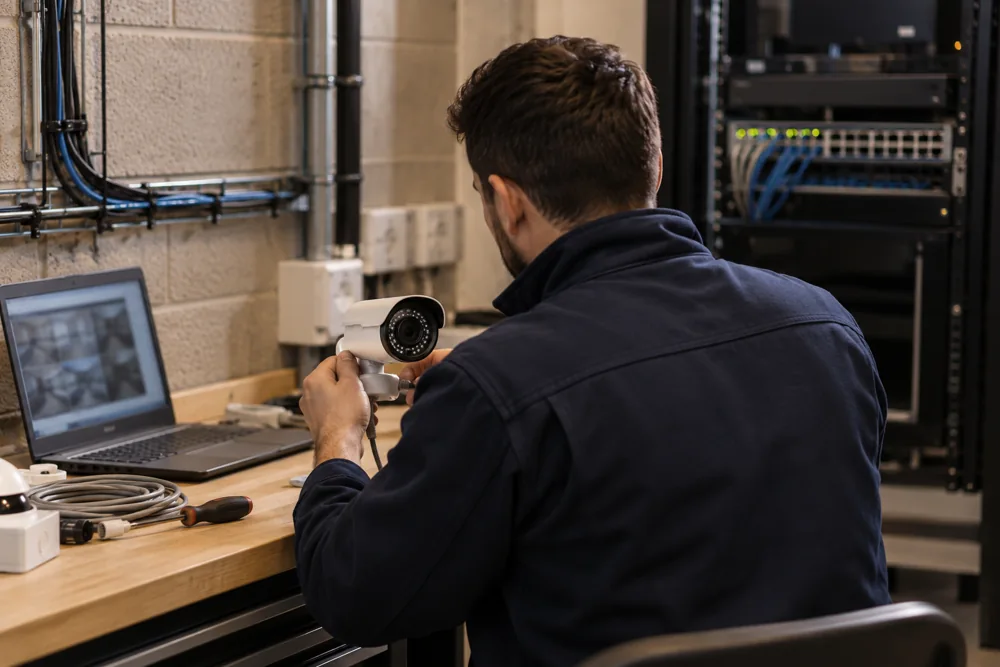
Check More Than The Live Picture
A live image on a screen does not prove that useful footage is being recorded. Maintenance should check playback, timestamps, storage health and export as well as camera views. A system can appear normal while a failed disk, changed schedule or network fault leaves an important gap.
The starting point is an inventory of cameras, recorders, storage and network connections. Identify the intended purpose of each view and any changes since installation. New racking, fencing, lighting or delivery arrangements may mean the original camera position no longer serves the agreed requirement.
Camera And Recording Checks
Inspect camera housings, fixings, connectors and exposed cabling for damage or movement. Lenses and covers may need cleaning using the manufacturer’s method. Check focus, field of view and reflections, particularly where infrared illumination or nearby external lighting can reduce the usefulness of night-time recordings.
At the recorder, review storage status, recording schedules and whether footage can be retrieved from the expected period. Check that system time is appropriate across connected devices. Export a sample and confirm it can be opened using the supplied method, without changing or losing the original incident recording.
Network Security And User Access
Review which accounts can view, export or administer the system. Remove access that is no longer needed and check how remote viewing is provided. Keep credentials out of email and enquiry forms. Changes to routers, internet services or IT policies should be coordinated with the security-system maintainer.
Firmware and software updates need a supported process. Confirm compatibility, plan for any interruption and record what changed. Unsupported equipment may need a replacement plan if security updates or compatible applications are no longer available. Maintenance should explain the limitation rather than silently leaving it unresolved.
A Practical Maintenance Visit
First, agree the equipment list, known faults and access arrangements. Confirm whether cameras at height need special access equipment and who can authorise network changes. Where an incident is being investigated, flag any footage that must be preserved before settings, storage or equipment are altered.
Then inspect and test the system against the agreed scope, recording findings for each device. Distinguish faults that can be corrected during the visit from items requiring parts or further work. Finish with a playback and export demonstration and a report describing defects, actions and remaining limitations.
Standards And Privacy Review
The BS EN 62676 application guidance covers maintenance and testing as part of a video surveillance system’s lifecycle. The agreed maintenance scope should relate to the system’s operational requirement. A generic checklist is less useful if it never checks whether a loading-bay view still records the details the buyer needs.
The ICO also recommends reviewing surveillance effectiveness and protecting stored personal information. Maintenance offers an opportunity to check retention settings, viewing permissions and whether signage matches current coverage. Refer to ICO video surveillance guidance alongside the organisation’s own procedures.
Costs, Intervals And Repairs
Maintenance cost depends on system size, camera access, equipment condition and the depth of testing required. For Wakefield CCTV servicing, check whether replacement parts, access platforms and cable repairs are priced outside the visit fee. Ask whether the agreement covers only planned visits or also fault investigation, remote support and callouts.
There is no single visit interval suitable for all premises. Usage, exposure, manufacturer guidance and operational risks should inform the schedule. A dusty production environment or frequently changing warehouse layout may need different attention from an office entrance with stable conditions. Agree what staff should check between visits.
Repair Or Replace
An isolated failed camera may be worth replacing if the rest of the system is supported and performs well. Repeated recorder problems, poor image quality or obsolete remote-viewing software can justify a wider replacement assessment. Compare the remaining limitations of repair against a clearly specified upgrade.
We can discuss existing systems across Wakefield and nearby commercial areas. Include non-sensitive model details, the approximate camera count and a plain description of the issue. If the requirement has changed significantly, review CCTV installation options as part of the decision.
Your Questions Answered
How Often Should Commercial CCTV Be Serviced?
Commercial CCTV servicing intervals should follow the manufacturer’s guidance, the environment and the risks at your premises. Busy yards, dusty production areas and exposed cameras may need closer attention than stable internal views. Agree a documented schedule and include simple staff checks for recording faults and camera obstruction between visits.
Can You Maintain CCTV Installed By Another Firm?
CCTV installed by another firm can be assessed for maintenance if the equipment is accessible, supported and legally available for administration. Ownership details, model numbers and existing records help establish the scope. Missing passwords, unsupported hardware or proprietary licensing may limit what can be tested or changed without further work.